

Each holiday season, our Chehalis office hosts free Pictures with Santa before the local parade. Families stop by, children meet Santa, and we capture a few photos to send home. It ranks among my favorite brokerage activities, as it has nothing to do with real estate and everything to do with being part of the community.
This year, I rebuilt how those photos are delivered. Here is why, and how a marketing professional with a design background ended up constructing his own web app to accomplish it.
The old way worked. Mostly.
When it comes to Wonder and invention. It doesn’t always start out with a problem to solve. Although it does solve a problem, it's not always a problem that was seen. But it did take something and say, “What can we make better?”
Figuring out a delivery system for multiple single photo shoots and keeping it unique and private is no easy task.
What we used to do was just post to an album on Facebook. But that has problems. Maybe not major problems, but potential issues. First, the photos are lower quality. Facebook compresses images during uploads. Families were preserving a smaller copy of something they might want to use for other things, like for printing.
Second, everything was public. Every photo, kids included, was visible to anyone who opened the album. Most people might not have minded. But some do, and they deserve a better option.
Nothing really needed to be fixed. It was more a question of how we could improve it.
Aren’t there already platforms out there?
Now, to be clear, there are great client-gallery platforms out there: Pixieset, Dropbox, and Shotproof. But they're built for a full photo session with one client and multiple or hundreds of images. We needed the opposite. One to three photos for each family, delivered privately, with no accounts and no friction.
I couldn’t find one, so I built it.
The idea: the ticket is the key
Privacy usually means logins and passwords. That is the last thing I want; I don’t want people to have to create an account. I need the solution to be frictionless.
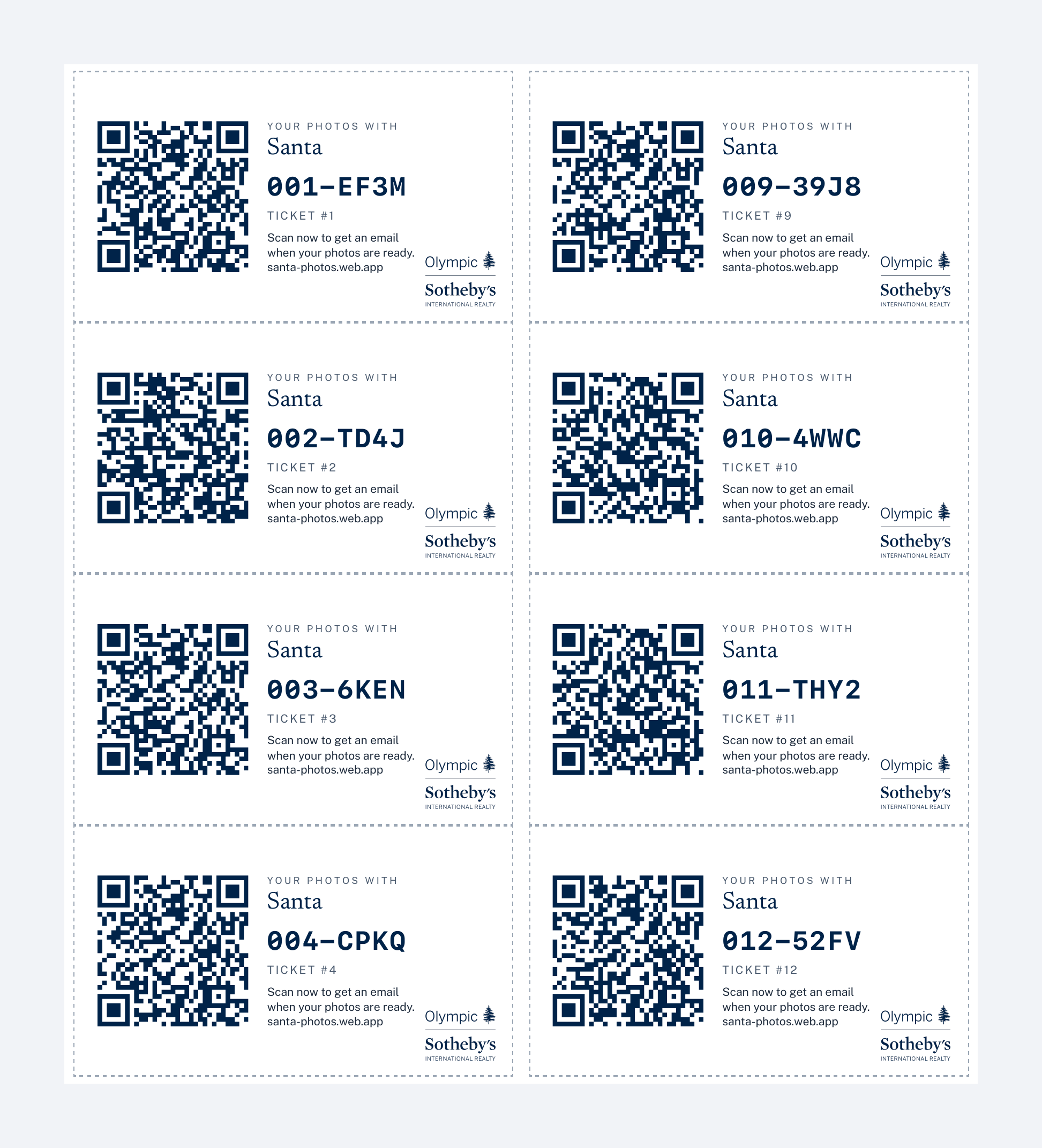
Each ticket has a number, a unique code, and a QR code. The number keeps things organized for us. The code pairs that number with a short random string, so nobody can find someone else's photos by guessing. Each QR code is unique and allows the person to scan it and enter their email. When the photo is uploaded, they receive an email that it's ready to download.
How it works
Before the event, I generate as many numbered tickets as we might need; we can always print more, and print and cut them.
At the event, each family takes a card. They can hold the ticket for the first photo, and then we take a few more. This makes it easy to match each photo. Afterward, they can scan the QR code to open the page and leave an email to be notified when photos are ready. It's optional.
After the event, the photographer types in a ticket number, drops in that family's photos, and clicks "Next ticket" to move down the stack.
When uploads are done, one click sends emails to every family who left an address. Anyone who didn't can go to the site and enter the code from their card.
Frictionless public side
The public page does one job: gets a family to their photos. It's clean, it's simple, and it's to the point. There's a single field for the ticket code and a Find button.
The admin side
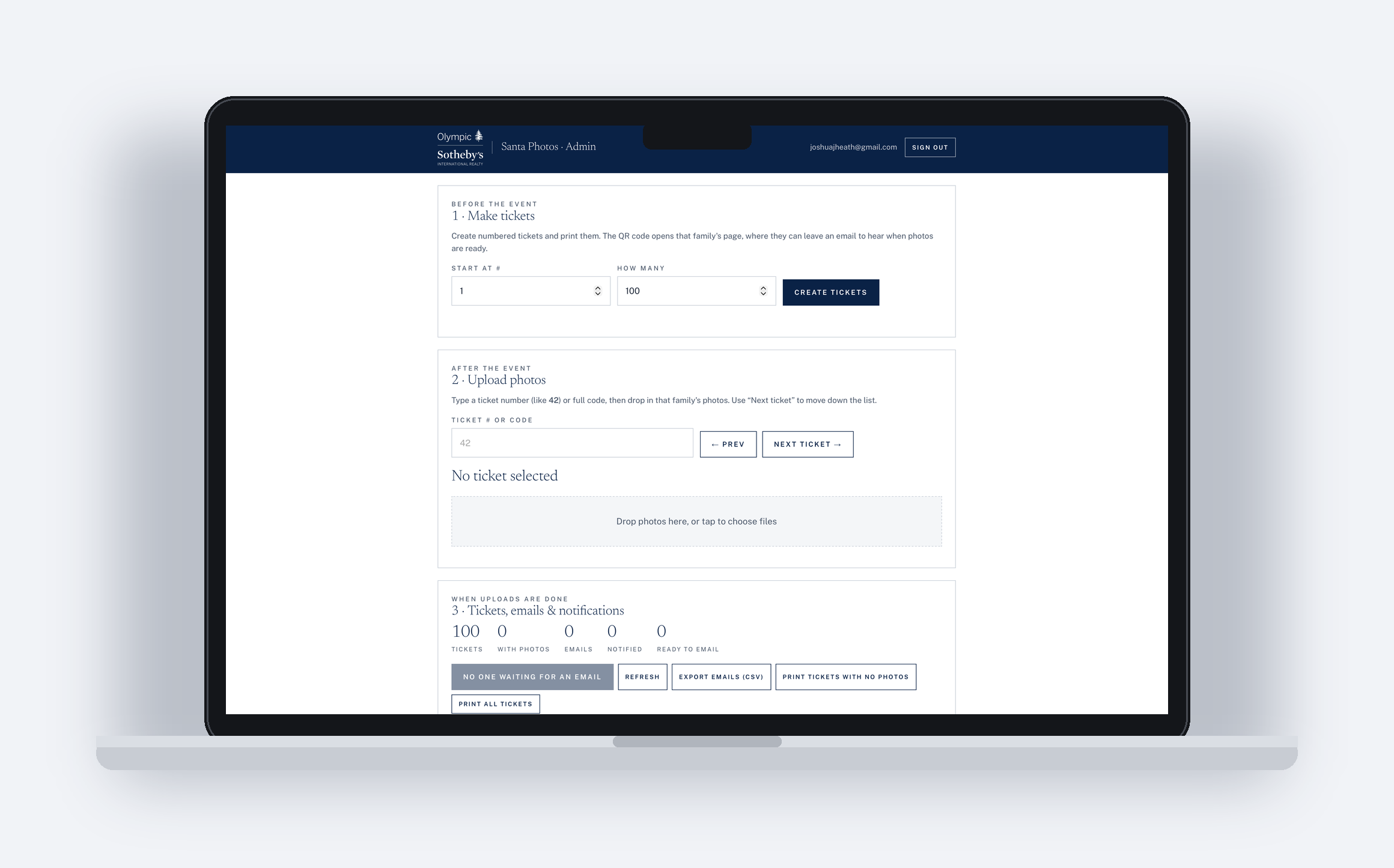
The admin dashboard follows the order of the event itself: make tickets, upload photos, send notifications. A running count shows how many tickets exist, how many have photos, how many families left an email, and who's still waiting.
I also added a few extra things like exporting an email list. This could come in handy for sending a thank-you-for-coming email after the event. I also added ways to reprint tickets with no photo or email, so if people lost their ticket, we can find them.
The email
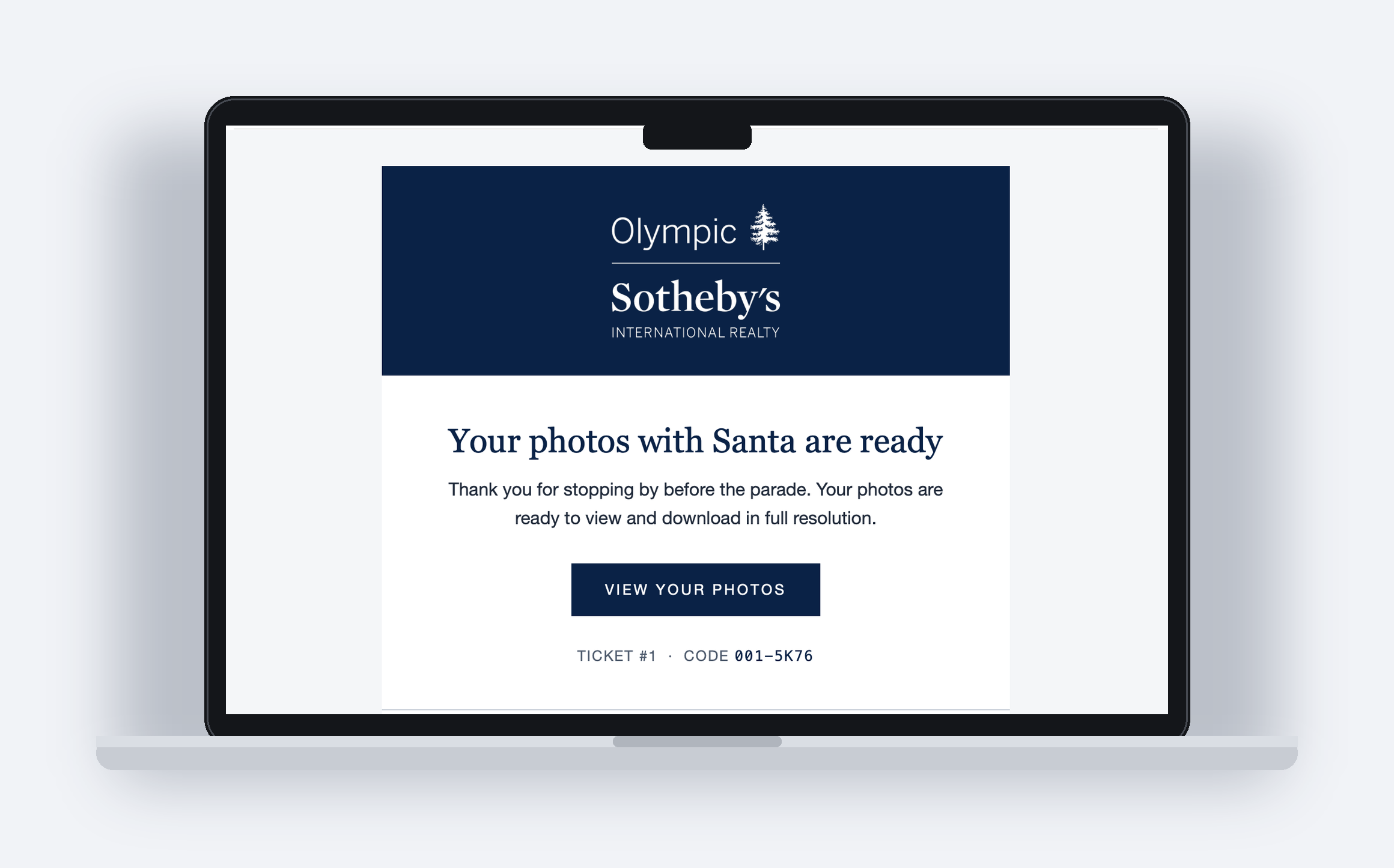
I wanted to make the email clean and simple, with a branded layout that looks professional and on-brand, with a heading that says " Your photos are ready" and a single button that says "Download photos."
Learning to vibe code
I'm a designer and photographer first; I don’t write code, but as a designer and creative professional, I like to solve problems and find ways to make things better. I built this by vibe coding: describing what I wanted to an AI coding assistant, testing it, and iterating. It runs on Firebase, with Resend sending the emails.
While the technical execution is manageable, the process involves significant troubleshooting, particularly as I continue to develop my expertise; for instance, resolving a persistent bug required several evenings of focused effort. However, each challenge yielded a solution and provided insight into the system’s architecture. The more complex aspect was design thinking: determining the appropriate scope of user interaction and optimizing the overall user experience.
Not all projects begin with something broken. Some of the most fulfilling work comes from a process that already functions well but asks a different question: how might we improve it? This initiative provides families with their full-resolution photos privately, requiring nothing more than a card in their pocket. Furthermore, it is designed to be reused each year after year